

If you like to plan a focus session with your participants and want to know there availability, you can use the focus scheduler to help you out.
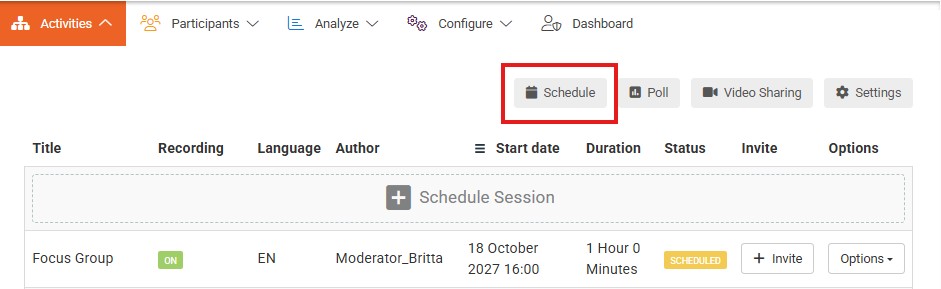
Step 1: Define time slots when you would like to conduct focus groups or IDI sessions. To continue, you need to have at least one time slot available in the near future.
Step 2: Participants can now share their availability by completing the form in the front-end. 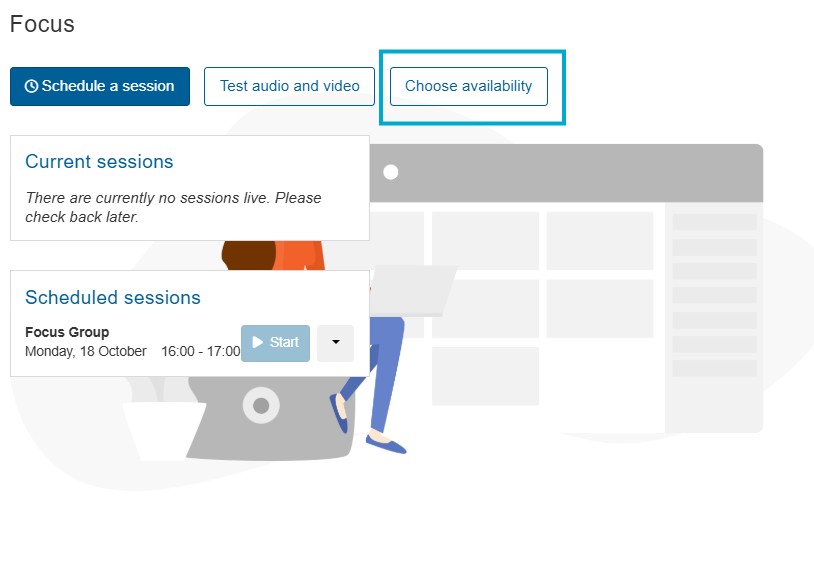
You can send them a newsletter mentioning about the session you would like to held and put the link in the newsletter for them to assign. The link can be found in the frond-end You can assign a task to all participants to complete this step to increase the completion rate. If you want to remind participants to complete this step, you can send a reminder from within the Pulse section. Participants who did not complete their availability yet will then receive an email requesting them to share their availability.
You can come back at any time to this page to see the progression of participants who completed sharing their availability. Once you are ready to schedule them, you can move towards step 3 to assign participants to designated time slots. Click on Next to continue this process. Participants will still be able to share their availability.
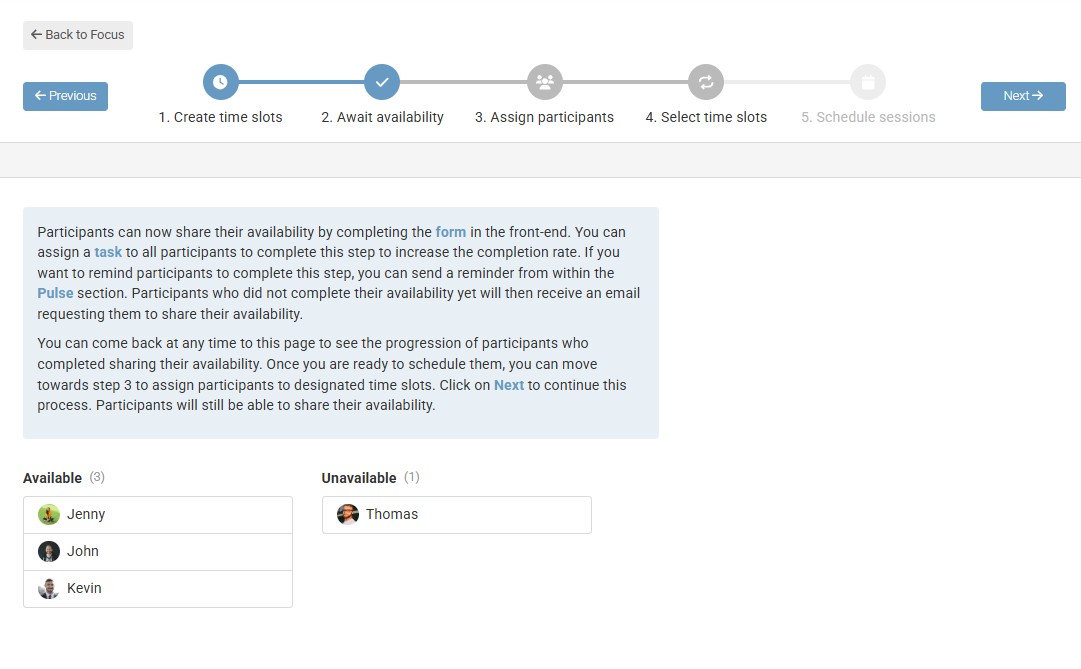
Step 3: Assign participants in time slots based on their availability. Use the profile field filter to control if you want to have a diverse or similar group of participants during your session. Once you’ve assigned the first participants to a time slot, you can move on to the next step.
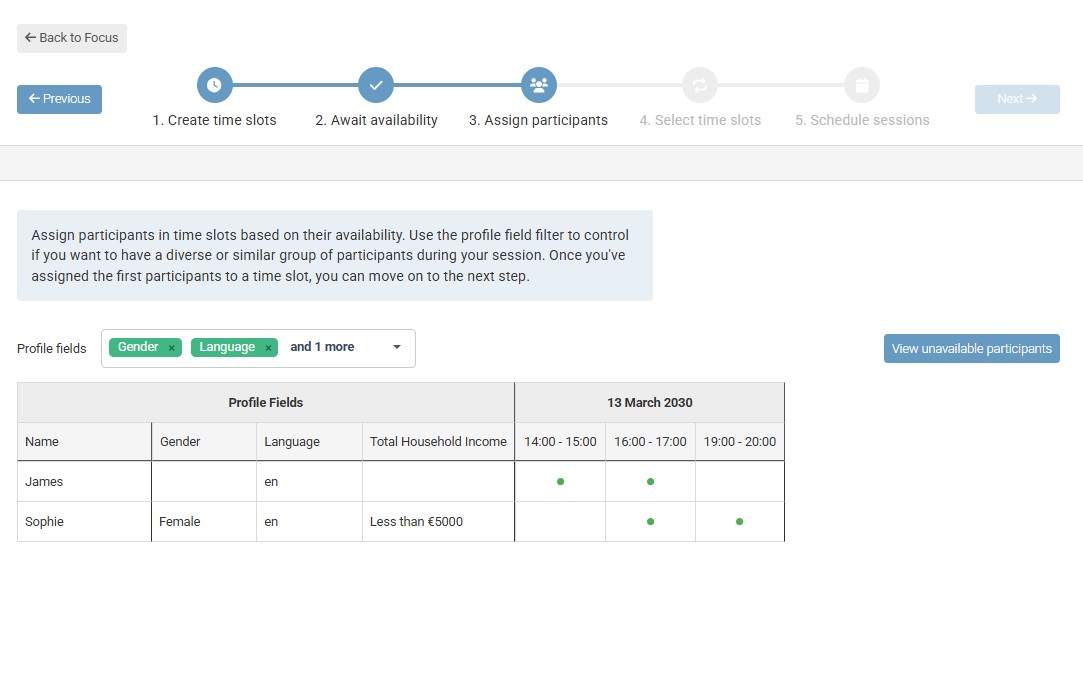
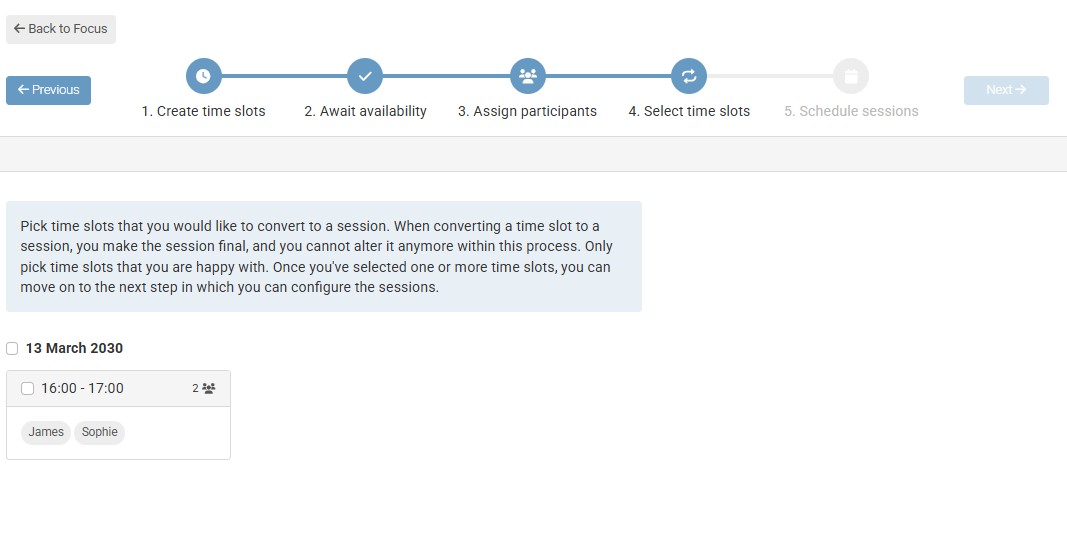
Step 4: Pick time slots that you would like to convert to a session. When converting a time slot to a session, you make the session final, and you cannot alter it anymore within this process. Only pick time slots that you are happy with. Once you’ve selected one or more time slots, you can move on to the next step in which you can configure the sessions.
Step 5: Define titles for your sessions and click on create to convert the time slot to an actual session. When a time slot has been converted to a session, the time slot will no longer show up in the scheduler.